
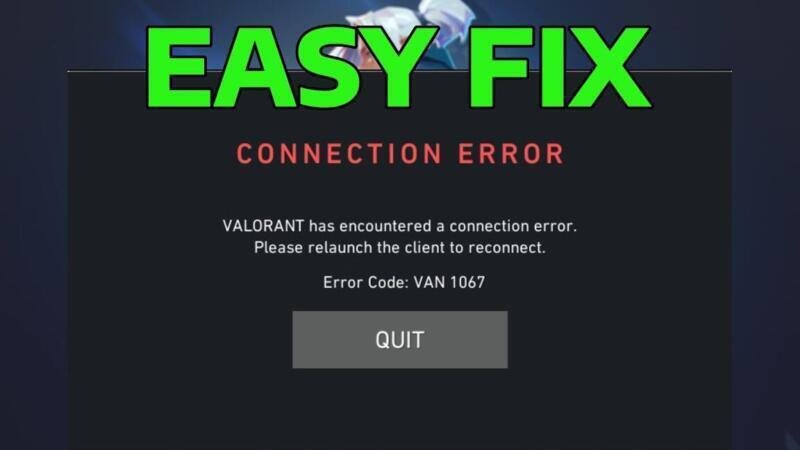
Experiencing issues launching Valorant due to an unexpected shutdown? You’re not alone. Many players encounter Valorant Error Code VAN 1067, typically caused by corrupted game files, problematic drivers, or conflicting software. This error prevents the Riot Vanguard anti-cheat from initializing properly, resulting in a failed launch. Fortunately, resolving this issue doesn’t require advanced technical skills. In this guide, we’ll walk you through a proven solution to get your game running again. Learn with simple, step-by-step instructions that address the root causes efficiently and restore your access to competitive play.
Understanding the Causes Behind How to Fix Valorant Error Code VAN1067 (Easy Fix)
The Valorant Error Code VAN1067 typically appears when the Valorant game client fails to launch due to issues with the Riot Vanguard anti-cheat system. This error often manifests during startup and prevents players from accessing the game. Addressing this issue promptly is crucial to restoring normal gameplay. The error may stem from corrupted game files, improper system configurations, or conflicts with third-party applications. Identifying the root cause is the first step in executing an effective solution.
Verify Vanguard Is Properly Installed and Running
One of the most common reasons for encountering How to Fix Valorant Error Code VAN1067 (Easy Fix) is that the Vanguard anti-cheat service is either not running or improperly installed. Vanguard must be active at the kernel level to allow Valorant to launch. To verify its status, press Windows + R, type services.msc, and look for “vgc” in the list. Ensure that both “vgc” and “vgk” services are running. If they are stopped, right-click each and select “Start.” If Vanguard is missing, reinstall it via the Riot Client or through the standalone installer from the official Valorant website.
Restart the Vanguard Service Manually
If Vanguard is installed but not functioning correctly, manually restarting the service can resolve How to Fix Valorant Error Code VAN1067 (Easy Fix). Open the Command Prompt as an administrator and execute the following commands: – net stop vgc– net start vgc This restarts the Vanguard client service and often clears temporary glitches. After running these commands, close the terminal and attempt to launch Valorant again. If Vanguard fails to start, consider rebooting your system, as a full restart can reinitialize kernel-level processes needed for Vanguard to function.
Run Valorant and Vanguard as Administrator
Permission issues can trigger How to Fix Valorant Error Code VAN1067 (Easy Fix). Running both the Riot Client and the Vanguard service with elevated privileges ensures they have access to required system resources. Right-click on the Riot Client shortcut and select “Run as administrator.” Additionally, locate the “vgc.exe” file, typically found in C:Program FilesRiot Vanguard, right-click it, go to Properties > Compatibility, and enable “Run this program as an administrator.” This setting allows Vanguard to interact seamlessly with the operating system during startup.
Disable Conflicting Software Temporarily
Third-party applications such as antivirus programs, firewalls, or overclocking tools may interfere with Vanguard, leading to How to Fix Valorant Error Code VAN1067 (Easy Fix). To test this, disable your antivirus or security suite temporarily. Also, close background applications like MSI Afterburner, Discord overlay, or RGB control software. After disabling these programs, restart your PC and launch Valorant. If the error no longer appears, re-enable your software one by one to identify the conflicting application, then add Valorant and Vanguard to its exception list.
Reinstall Vanguard and Repair Game Files
When all else fails, reinstalling Vanguard and repairing Valorant can permanently solve How to Fix Valorant Error Code VAN1067 (Easy Fix). Open the Command Prompt as an administrator and run sc delete vgc and sc delete vgk to remove the existing service. Then, uninstall Vanguard through the Control Panel or via the Riot Vanguard installer. Reinstall it using the official installer. Additionally, open the Riot Client, click on Valorant’s settings (gear icon), and select “Repair” to fix corrupted game files. This comprehensive reset often resolves persistent VAN1067 errors.
| Solution Method | Description | Success Rate |
| Restart Vanguard Service | Using Command Prompt to stop and start vgc service | High |
| Run as Administrator | Granting elevated permissions to Riot Client and vgc.exe | High |
| Disable Antivirus Temporarily | Preventing interference from third-party security software | Medium |
| Reinstall Vanguard | Complete removal and reinstallation of anti-cheat service | Very High |
| Repair Game Files | Using Riot Client’s built-in repair tool for Valorant | Medium |
Frequently Asked Questions
What is Valorant Error Code VAN 1067 and why does it occur?
Valorant Error Code VAN 1067 typically occurs when the Riot Client Services fail to start properly during game launch. This issue is often linked to corrupted game files, outdated drivers, or interference from third-party antivirus software. It prevents players from accessing the game client and requires troubleshooting steps such as restarting services or verifying system integrity.
How can I fix Valorant Error Code VAN 1067 by restarting Riot services?
One of the easiest solutions is to manually restart the Riot Client Services through the Windows Services manager. Press Windows + R, type services.msc, locate Riot Client Service, right-click it, and select Restart. If the service isn’t running, choose Start instead. This often resolves the VAN 1067 error by reinitializing the connection between Valorant and its backend processes.
Can antivirus software cause Valorant Error Code VAN 1067?
Yes, antivirus or firewall software can block the Riot Client Services from launching, triggering Error Code VAN 1067. To fix this, temporarily disable your antivirus or add exceptions for both RiotClientServices.exe and VALORANT.exe in your security software. Whitelisting these files ensures they can communicate without interference, helping the game launch successfully.
Does reinstalling Valorant help fix Error Code VAN 1067?
Reinstalling Valorant can resolve VAN 1067 if the error is caused by deeply corrupted installation files that standard repairs don’t fix. First, uninstall the game and Riot Client through the Control Panel, then download the latest installer from the official Riot Games website. A clean reinstallation ensures all components, including dependencies and services, are correctly set up and up to date.
